Your AI receptionist, in your pocket.
The Team Connect AI receptionist app for iPhone lets UK business owners see every call their AI handles in real time, reply to customer SMS from anywhere, make outbound calls from their business number, and manage every line they own from one place. Free to download — works with your active Team Connect AI receptionist account.
Team Connect is the AI receptionist iPhone app built specifically for UK business owners who can't always be at a desk — tradespeople on site, clinic owners between patients, agency directors between meetings. While your AI receptionist answers inbound calls, books appointments and captures every enquiry, the iPhone app keeps you in the loop without keeping you tied to a computer.
Unlike most AI receptionist apps — which are built around US area codes and dollar billing — Team Connect is UK-native end to end. UK landline numbers (0161 Manchester, 0207 London, 0151 Liverpool, 0121 Birmingham and every other UK area code), pound-sterling pricing, UK-based call routing, GDPR-compliant data handling, and a native iPhone app that's part of the core product rather than a bolted-on afterthought.
From zero to a live AI receptionist on your iPhone in about ten minutes.
Sign up at team-connect.co.uk in about 5 minutes. Pick a UK business number, configure your AI receptionist's name, voice and business hours, and you're live — answering calls before you've even installed the app.
Search "Team Connect" on the Apple App Store and tap install. The Team Connect AI receptionist iPhone app is free with an active account — no in-app purchases, no separate subscription.
Open the app, sign in with your Team Connect email and password, and your live call activity, customer SMS inbox, business numbers and outbound dialler all appear instantly. No on-device setup needed.
A full tour of what the Team Connect iPhone app does — built for UK business owners on the move.
The Team Connect AI receptionist app opens with a clean welcome flow that introduces what your AI receptionist does. Sign in with your existing Team Connect email and password — there's no separate app account to set up.
From there, everything's live. Calls answered by your AI receptionist while you slept are already in your dashboard. SMS conversations sync with the web. No setup needed on the device.
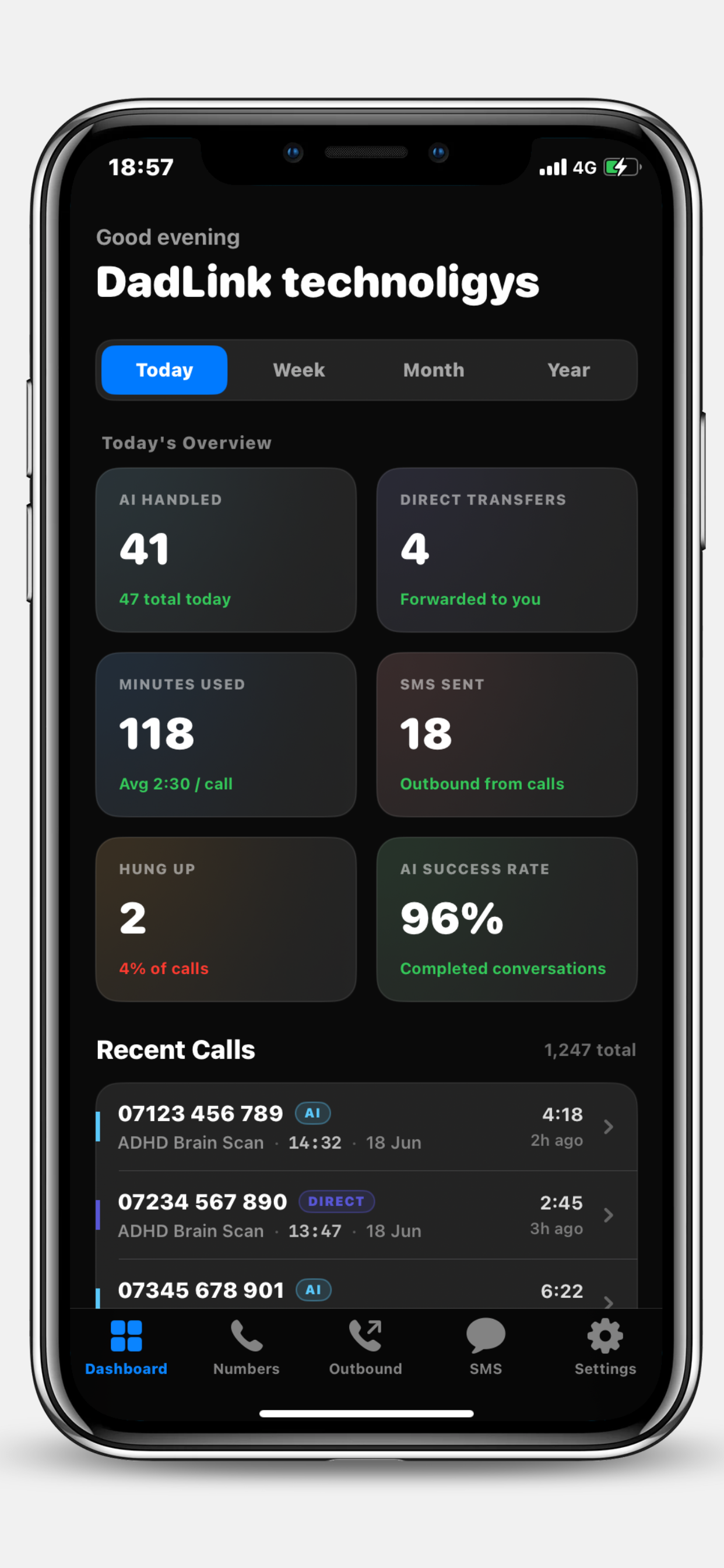
Open the AI receptionist iPhone app and you land on a live dashboard showing exactly what your AI has been doing — calls handled, calls transferred, minutes used, SMS sent, AI success rate, and a running list of recent activity from every business number.
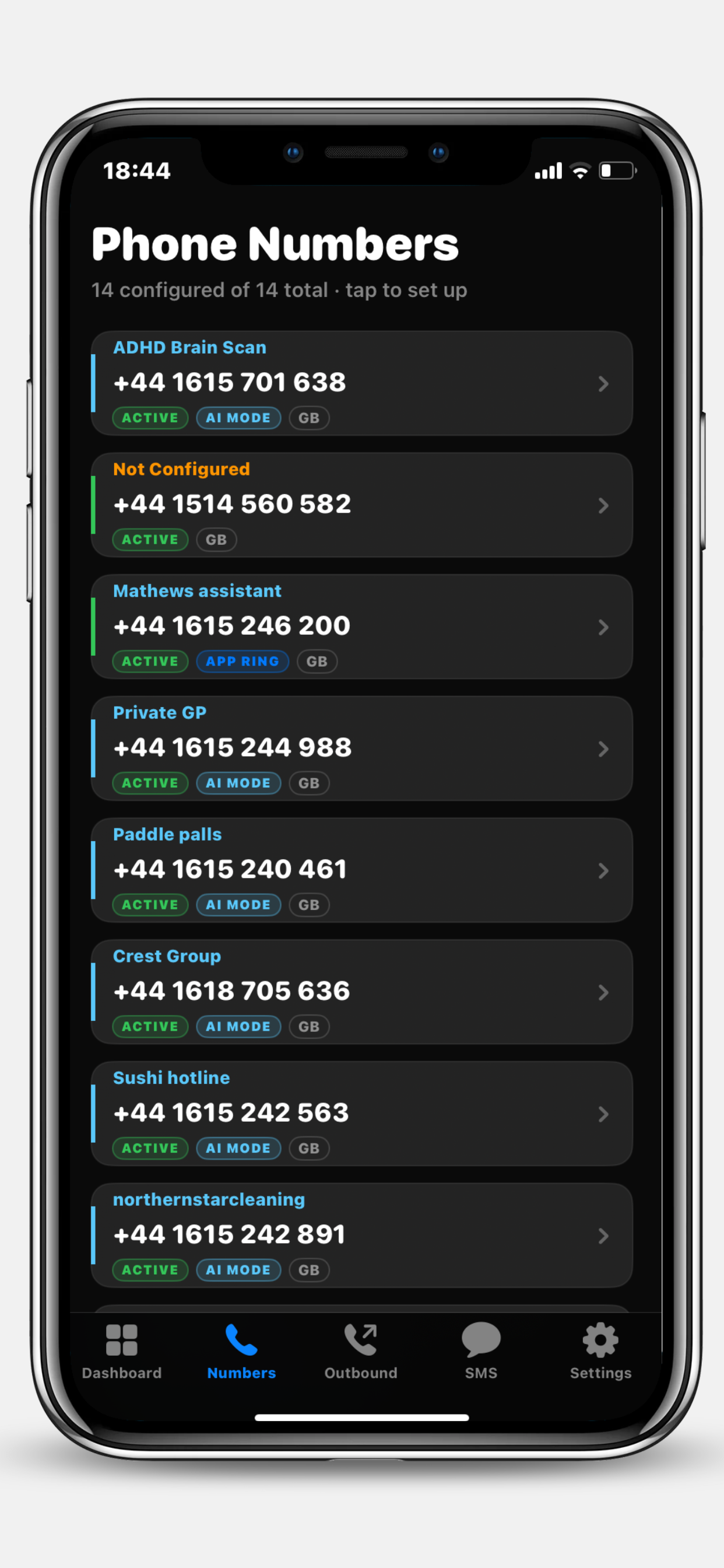
If you run more than one business or brand, the Phone Numbers tab is your control panel. Every UK number you own is here, each with its own AI configuration, business name and current handling mode.
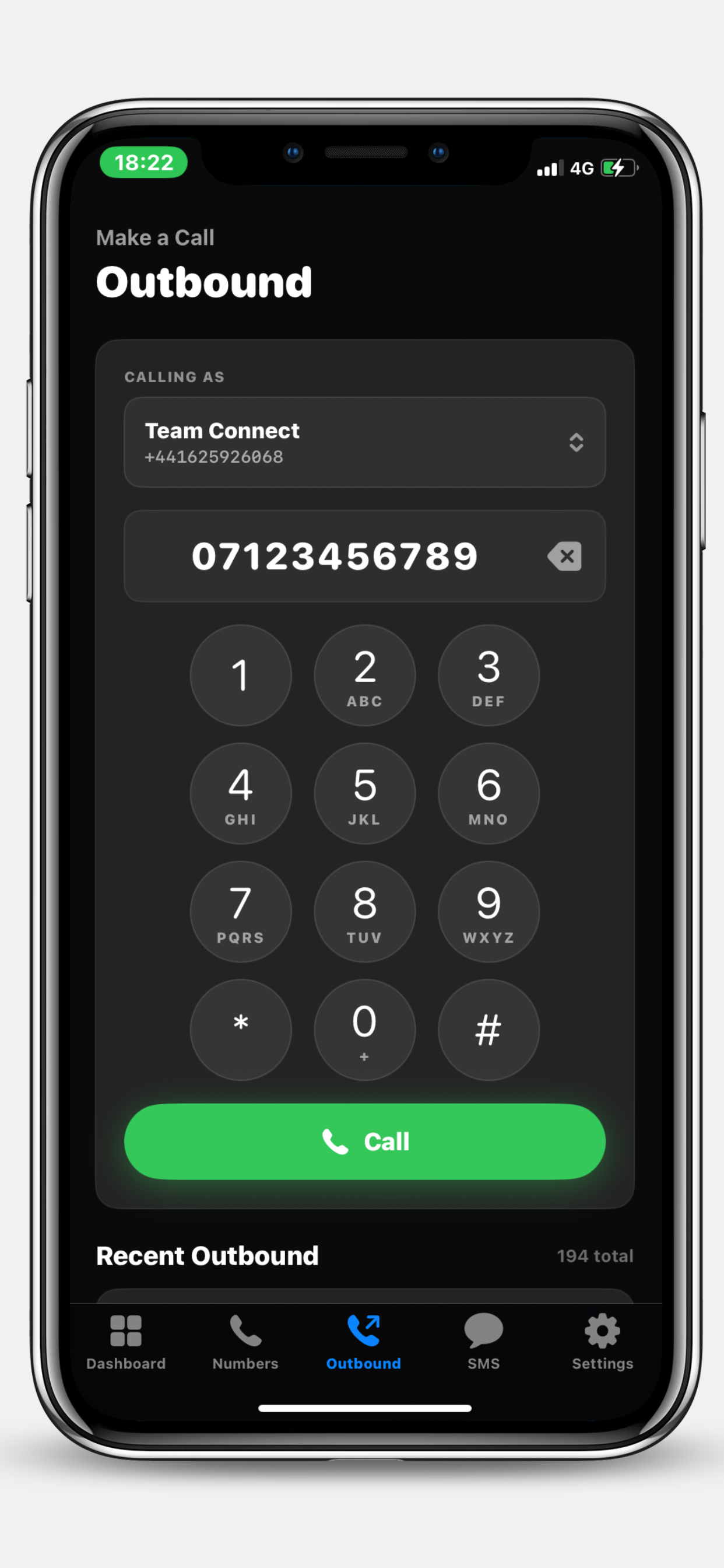
Need to ring a customer back from the iPhone app? Tap the Outbound tab, pick which of your business numbers to call from, dial, and you're connected. The customer's caller display shows your business number — never your personal mobile.
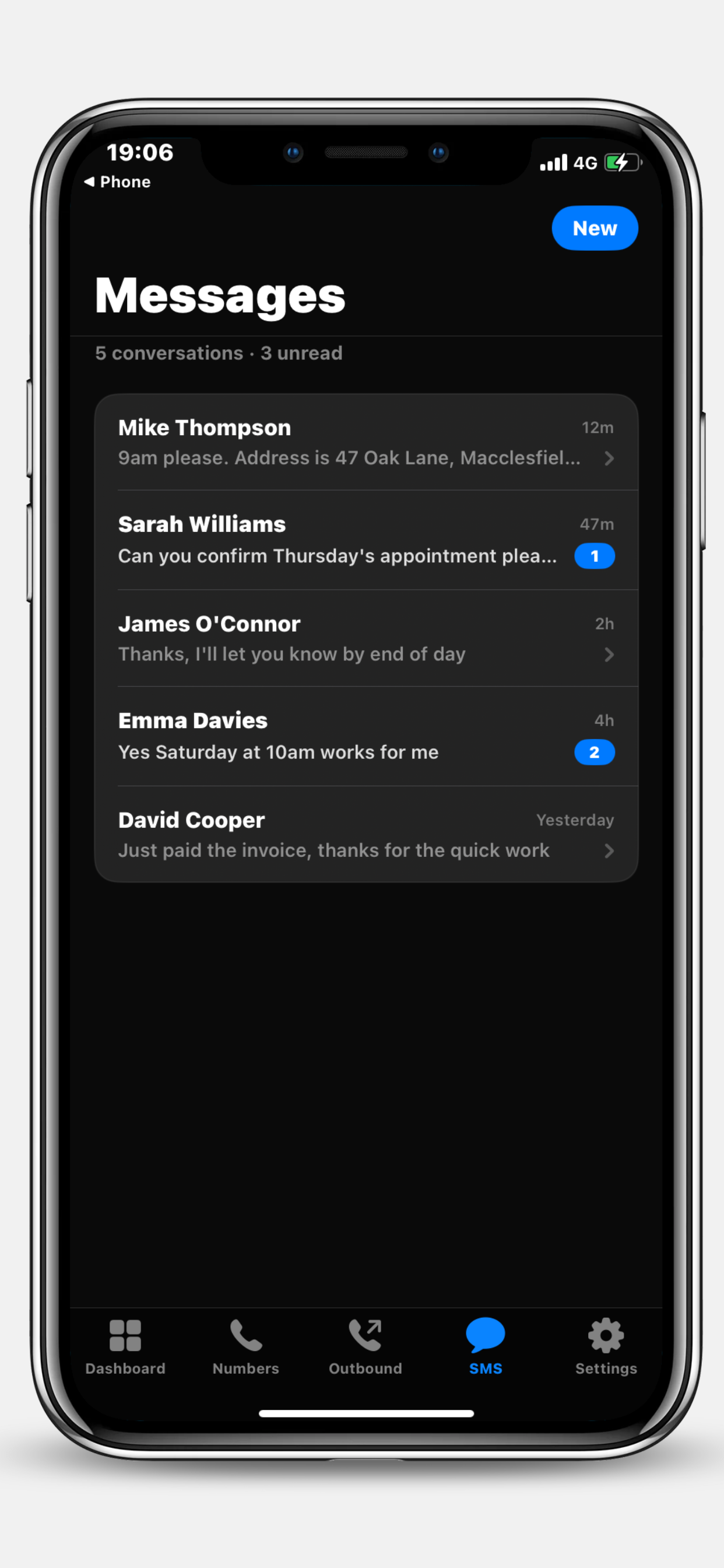
The Messages tab is one inbox for every customer SMS thread across every business number you run. Unread counts at the top, latest reply preview on each row, badge counts on threads that still need your attention.
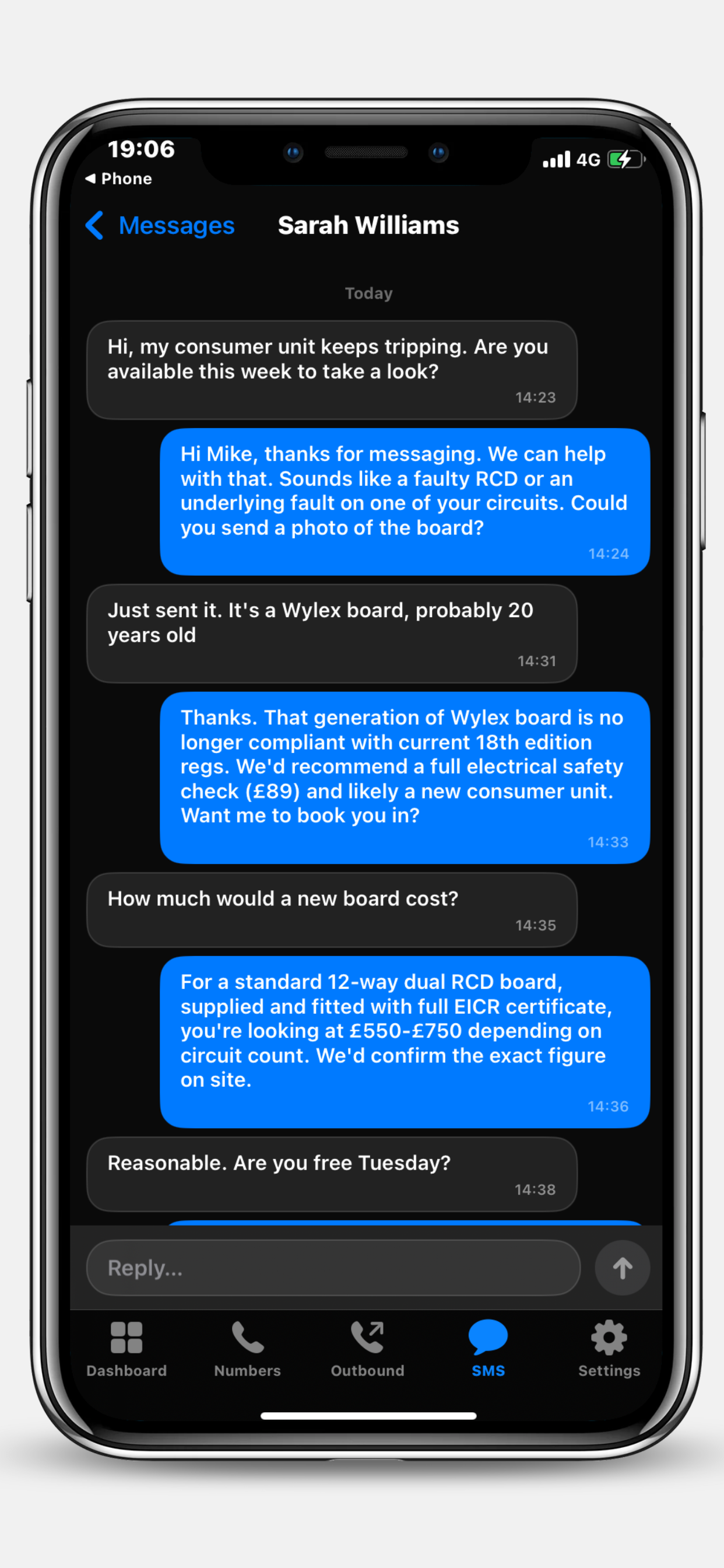
Inside a conversation you get the full back-and-forth with the customer — every message they sent, every reply your AI receptionist sent on your behalf, every reply you've typed yourself. Type into the composer and your message goes out instantly from your business number.
Tradespeople, clinic owners, agency directors, anyone who can't always be at a desk — the AI receptionist iPhone app keeps you in the loop without keeping you tied down.
Your AI receptionist still does the heavy lifting — answering calls, booking appointments, capturing enquiries. The iPhone app shows you everything it's done and lets you step in when you want to.
Inbound customer SMS notifications appear on your lock screen with the sender's name and a message preview. Tap to jump straight into the conversation in the AI receptionist app.
If you own multiple UK companies, every business number rolls up into one unified iPhone app. Switch between them without signing in and out.
Built for industries where you can't be next to your phone all day. See the full Team Connect feature list for industry-specific call flows.
Leave the AI to handle enquiries while you're on the tools. Check in between jobs, call customers back from your business number.
AI receptionist for tradesmen →Capture every emergency call without dropping a tool. AI books the appointment, app pings you with the details.
AI call handler for plumbers →AI receptionist takes patient bookings, the iPhone app shows you which slots got filled while you were in consultation.
AI receptionist for clinics →Never miss a booking call while you're with a client. AI handles the inbound, app keeps you across the diary.
AI receptionist for salons →Capture viewings and valuations 24/7. Outbound dialler lets you ring leads back from your branded business line.
AI receptionist for estate agents →Look like a 20-person team without one. AI receptionist on the phone, iPhone app on the move, all UK-native.
AI receptionist for founders →How Team Connect's iPhone app stacks up against typical AI receptionist services for UK small business.
The Team Connect AI receptionist app is updated continuously. Recent highlights:
The app now shows an in-app banner when an AI receptionist call ends with the customer hanging up early. One tap clears it; tap to follow up.
SMS Sent stat now matches the web dashboard exactly — counts every outbound SMS across all your business numbers, not just those triggered during calls.
Missed business calls now appear as in-app banner pills with a clear action; new customer SMS arrives on your lock screen via Apple Push.
New Outbound tab lets you call any number from any of your Team Connect UK business lines, with full UK formatting and recent-history list.
Live dashboard, phone numbers, SMS inbox and SMS chat — the Team Connect AI receptionist iPhone app goes live on the UK App Store.
The iPhone app is free to download but you'll need an active Team Connect account to sign in. Create one on the web in about 5 minutes — pick a UK business number, configure your AI, and you're live. Monthly billing, no contract, cancel any time.
Everything UK business owners ask before downloading.