Daily SMS Welfare Check‑Ins That Put Tenants First
Schedule daily wellbeing texts, capture replies, and escalate concerns to your team. Optional supportive AI texting offers calm guidance and signposting — non‑clinical and never a crisis service. Built for safeguarding, privacy, and dignity across UK supported housing and social care.
GDPR & PECR compliant • Two‑way SMS • Staff alerts & routing
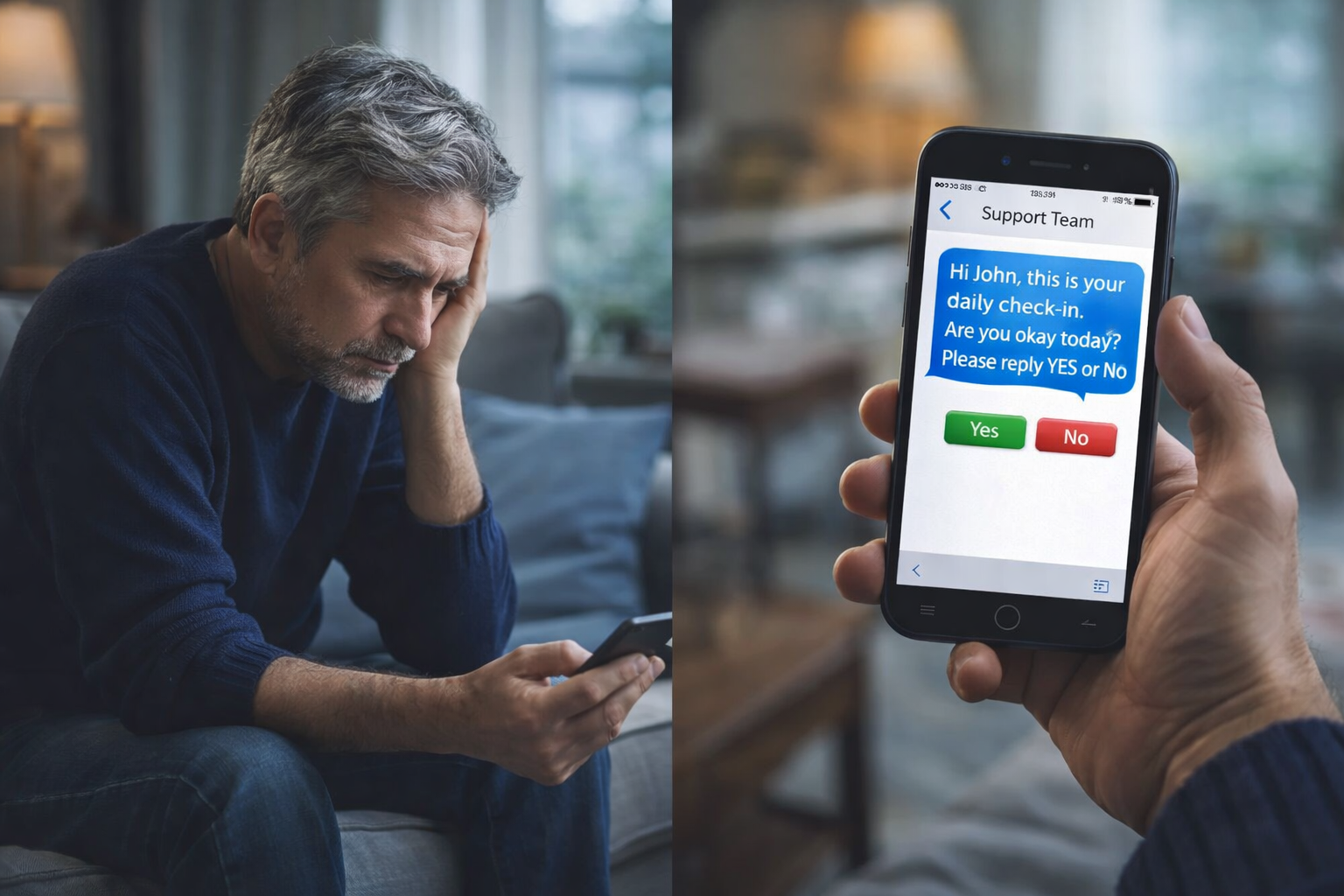
Simple, Structured Welfare Check‑Ins
Designed for tenants who benefit from daily contact — with respectful, non‑judgmental language, opt‑out options, and clear safeguarding rules.
1) Set Schedules
Choose daily times per tenant (e.g., morning and evening). Configure weekdays vs weekends, bank holidays, and multiple check‑ins per day. Tailor frequency and tone to care plans and preferences.
2) Send Check‑In Texts
Send concise, supportive messages like “Hi {FirstName}, just checking in. How are you feeling today?” with simple reply options such as OK or NEED TO TALK. Every message includes identity and opt‑out information.
3) Log & Route Replies
Replies are recorded automatically. Concerning keywords or non‑responses within defined windows can trigger alerts to staff groups, duty phones, or designated contacts — with timestamps and context for oversight.
4) Optional Supportive AI
Tenants can text the AI for calm support and signposting. It’s non‑clinical and not a crisis service; high‑risk messages are flagged for staff follow‑up based on your safeguarding rules.
Why Supported Housing Teams Choose Team‑Connect
Daily connection, clear routing, and careful safeguarding — built on privacy, consent, and dignity.
Consistent Daily Contact
Automate welfare check‑ins so tenants receive predictable, supportive texts at agreed times — improving continuity of contact.
Safeguarding‑Focused
Define escalation rules for concerning replies or non‑responses. Route alerts to staff, log context, and maintain oversight with audit trails.
Two‑Way Engagement
Tenants can reply in their own words, and your team is notified. Use keywords for quick acknowledgements with human follow‑up as needed.
Privacy & Dignity
Respectful language, clear identity and purpose, and opt‑out options in every message — supporting trust and autonomy.
Reporting & Insight
See delivery, response rates, time‑to‑escalation, and keyword trends. Refine schedules and resource planning with evidence from real activity.
Optional Supportive AI
Provide tenants with a supportive non‑clinical AI texting option for calm guidance and signposting, with clear boundaries and staff oversight.
Daily Check‑In SMS Examples
Supportive, non‑judgmental templates that promote trust and regular contact. Tailor tone and timing to each tenant.
Morning Check‑In
Hi {FirstName}, good morning — checking in. How are you feeling today? Reply OK or NEED TO TALK. To opt out, reply STOP.
Evening Check‑In
Hi {FirstName}, hope your day was manageable. If you need support or want to chat, reply NEED TO TALK — we’ll follow up. Reply STOP to opt out.
Supportive AI Opt‑In
You can text “AI SUPPORT” to chat with a supportive assistant for calm guidance and signposting. Not a crisis service — call 999 in emergencies. Reply STOP to opt out.
Missed Reply Follow‑Up
Hi {FirstName}, just checking in again. If you’re okay, reply OK. If you prefer to chat later, that’s fine — take care. Reply STOP to opt out.
Designed for UK GDPR & PECR
Clear identity, purpose, consent, and opt‑out in every message — with role‑based access, retention controls, and audit trails.
Identity & Purpose
Messages identify your service and purpose (welfare check‑in), using straightforward language and respectful tone.
Consent & Opt‑Out
Track consent, store proof, and honour opt‑outs automatically — supporting UK GDPR and PECR requirements.
Records & Audit
Keep records of consent, check‑ins, and replies with timestamps. Export logs for care reviews or oversight.
Policies
Read our GDPR, Acceptable Use, Privacy Policy, and Terms.
Works With Your Existing Tools
Connect Team‑Connect with your AI Receptionist, CRM, email, and voice follow‑up for missed responses.
AI Receptionist
Route calls and follow‑ups to AI Receptionist for out‑of‑hours or missed responses, keeping tenants connected.
CRM Sync
Import tenant lists from your system and keep records in one place. Use tags and segments for tailored schedules.
Email/Voice Follow‑Up
Trigger email or voice reminders if SMS isn’t delivered or a tenant doesn’t reply within the defined window.
Webhooks & Events
Send delivery, reply, and escalation events to your data warehouse or analytics tools.
SMS vs Other Channels in Supported Housing
Why teams rely on SMS for reliable daily contact, with optional email and voice backups for missed responses.
| Channel | Reliability | Speed | Best Use | Limitations |
|---|---|---|---|---|
| SMS Check‑Ins | High | Instant | Daily wellbeing contact and quick replies | Short messages; ensure opt‑out and respectful tone |
| Variable | Minutes–hours | Long‑form updates and detailed summaries | Lower engagement for daily contact | |
| Voice | High when answered | Immediate when connected | Urgent follow‑ups, missed responses | Requires availability; may be intrusive for daily use |
Pay‑as‑you‑go credits • Flexible volumes • No monthly fees
Supported Housing Teams We Serve
Welfare check‑ins that respect privacy and dignity across diverse needs — from mental health to recovery support and beyond.
Mental Health Support
Gentle, non‑judgmental messages help maintain daily contact. Escalation rules flag concerning replies for timely follow‑up.
Recovery & Harm Reduction
Daily check‑ins encourage steady routines. Offer supportive AI signposting (non‑clinical) with staff oversight and clear boundaries.
Young People & Care Leavers
Respect autonomy with opt‑outs and friendly language. Provide optional AI texting to vent or seek guidance without judgment.
Homelessness Pathways
Coordinate daily contact for tenants transitioning to stable housing. Log replies and route concerns to duty staff.
Domestic Abuse Survivors
Use clear identity and purpose, with consent‑driven messaging. Provide controlled schedules and opt‑outs for safety and privacy.
Veterans & Complex Needs
Balance regular contact with dignity. Tailor language and timing to preferences, and use keyword‑based alerts for follow‑ups.
Start Daily Welfare Check‑Ins in Minutes
Sign up, add SMS credits, set tenant schedules, and begin your first check‑ins today.
Create Account
Start your free trial and verify organisation details. Configure user roles and permissions.
Add Credits
Choose a pack that fits your volume. Credits don’t expire and are pay‑as‑you‑go.
Launch Check‑Ins
Segment tenants, set schedules, send your check‑ins, and track replies and escalations in real time.
Respectful messaging • Staff alerts • Optional supportive AI
Frequently Asked Questions
Practical details to help supported housing teams deploy daily welfare check‑ins safely and effectively.
Can tenants opt out at any time?
Yes. Every message includes opt‑out instructions, and opt‑outs are honoured automatically.
How do we handle missed responses?
Define a window (e.g., 30–60 minutes). If no reply is received, the system can send a gentle follow‑up and/or alert staff based on your rules.
What about language and tone?
Use non‑judgmental, respectful language. Keep messages concise, identify your service and purpose clearly, and include opt‑out info.
Is SMS secure?
SMS travels over carrier networks. Team‑Connect safeguards data with role‑based access, retention controls, and audit trails in the platform.
Can we export logs?
Yes. Export consent records, messages, replies, and escalations for care reviews or oversight.
Does the AI detect risk?
Supportive AI can flag high‑risk keywords for staff based on your rules. It is not a crisis or medical service and does not replace professional help.
Guides & Resources
Explore best practice for respectful, safeguarding‑focused messaging — and how SMS fits alongside email and voice.
SMS Marketing UK
See how UK organisations use SMS for reliable engagement and timely updates.
Messaging Best Practice
Guidance on tone, consent, opt‑outs, and respectful language for daily welfare contact.
SMS vs Email
Understand when to use SMS for check‑ins and how email supports summaries and follow‑ups.
AI Receptionist
Route calls and out‑of‑hours follow‑ups in a supportive, structured way.